Exporting Tickets
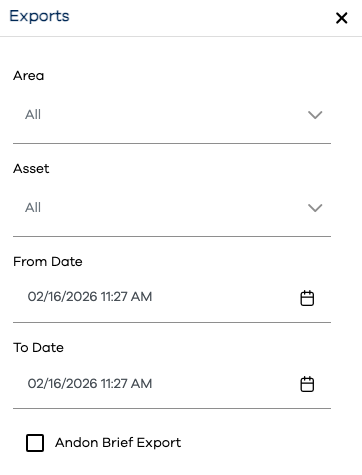
PEER™ tickets data can be exported directly to csv for review. The data selection options are:
Data Selection Option | Description |
|---|---|
Area | Select one or more Areas whose child assets will be included in the export |
Asset | Select one or more Assets to be included in the export |
From Date | Select a date and time after which tickets will be exported |
To Date | Select a date and time before which tickets will be exported |
Andon Brief Export | Tick this box to limit the export to ticket information entered in the Create form, and only information related to the ticket closure transaction. Leaving this box unticked will export all transactions for every ticket encompassed by the above data selections. |
Click the button near the bottom of the left-hand navigation bar to expand it, and click the option underneath it.
Specify values for the filter options described above
Click the button
Save the resulting csv file to a location on your pc, and evaulate it using Excel or other tool of choice