Part Selection
Part tagging is done from the Operator Console, which is accessed by clicking the button in the left-hand navigation bar.
Click the button in the upper-right of the Operator Console.

The tree view displayed in the dialog box may (or may not) expose parts grouped by product family, package size, flavor, etc. In this example, no hierarchy is specified, and thus parts are sorted in a flat list, with part name followed by part Id (SKU). Select a part from the list by clicking it.
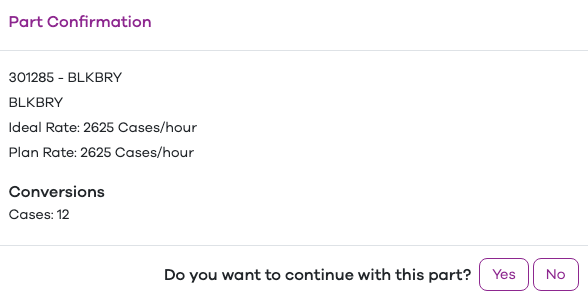
You will be presented with details about the selected part to review, before confirming the part change. When you are satiisfied with your selection, click the button to continue.
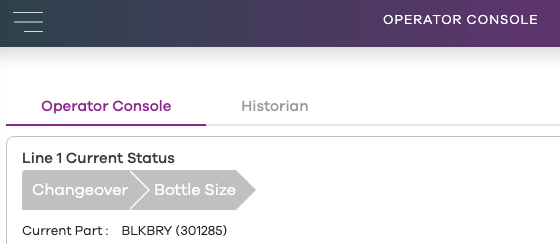
Once you've confirmed, the Edge Service will be notified of your selection. Notice the current part is displayed under the Line name and current reason, along with its part Id.
Note
Remember that this part will apply to every uptime and downtime event going forward, until it is next changed.