Fault Resource Files
Resource Files are json text files which represent a list of faults for a particular machine or set of machines. Each Asset can be assigned one and only one resource file. To create a resource file, use the following procedure:
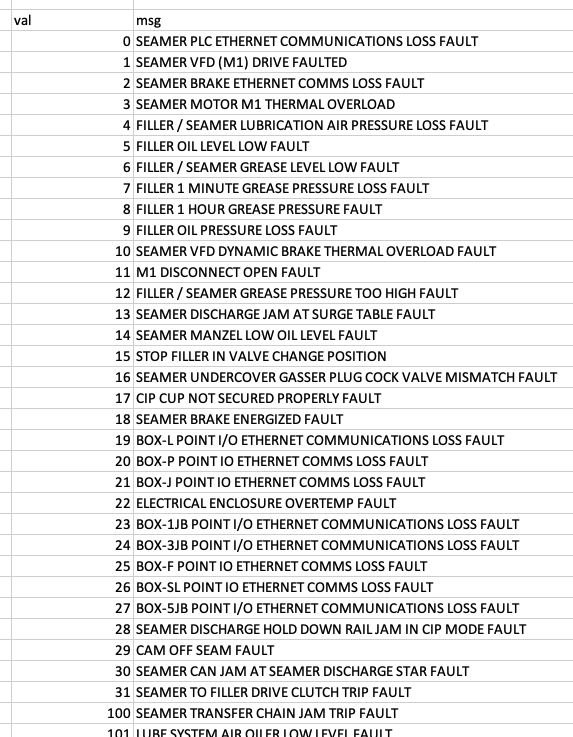
Acquire a list of all possible faults for each machine in excel format, with two columns, titled exactly as "val" and "ref". The "val" column should contain the corresponding PLC integer code, and the "ref" column a description of the fault.
Create a plain json text file with a name representing the machine whose faults it contains, and the ".json" suffix. The basis of this file can be copied from the below code:
{
	"name": "L2 Filler Seamer Alarms",
	"description": "Alarm Resource File for L2 Filler Seamer",
	"offset": 10000,
	"maxvalue": 9999,
	"assignto": {
		"assets": [
			"L2 Filler Seamer"
		],
		"templates": [
		]
	},
	"msgs": [

]
}
Modify the above code's properties according to the following guidelines:
Table 15. Resource File PropertiesProperty
Description
name
A short arbitrary string, but should represent the machine or machines to which this particular list applies.
description
A description which further qualifies the contents of the file, if necessary.
offset
Typically, this integer is "10000". When the fault learning Condition is created, the localreasonoffset attribute should match this number. The Logic Engine, when it receives a code from the PLC, adds this offset to the raw PLC value, so that the application can differentiate it from a specific fault condition.
maxvalue
Largely unused, set this value to the offset-1.
assignto - assets
Within the array, list all the asset names to which this resource file applies. Optionally, wildcards can be used as a shorthand. For example, if Line 1 contains three fillers which share the same resource file, instead of listing the names of all three ("L1 Filler1", "L1 Filler2", "L1 Filler3"), use the asterisk to list only one entry ("L1 Filler*").
assignto - templates
Largely unused, but similar to the above asset lists, the application will apply this resource file to any asset assigned to a template in this list.
msgs
An array of dictionaries representing the fault list. Poopulating this list is explained in the next step of the procedure.
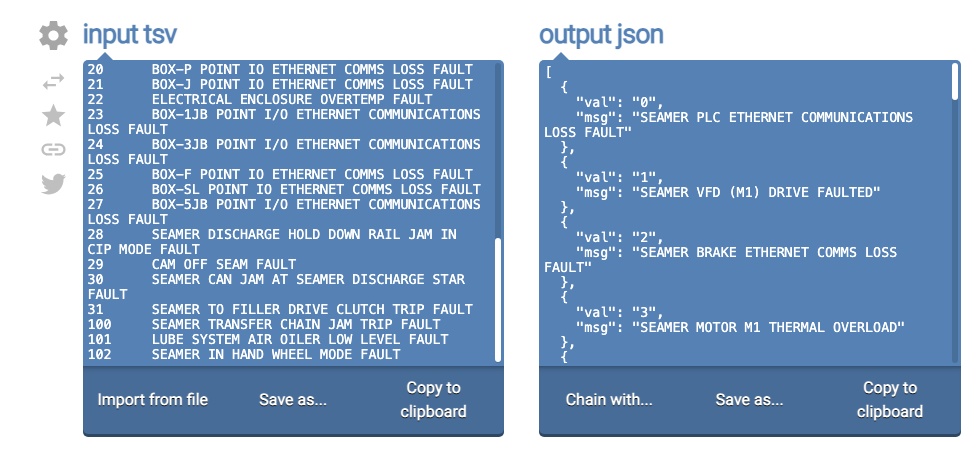
Using the tool of your choice (we recommend https://onlinetsvtools.com/convert-tsv-to-json), create the json array representing all the data in the csv or excel file. The resulting array is then pasted into the "msgs" property of the resource file (being careful that the resource file remains well-formed json - a comma-delimited list of dictionaries all enclosed in a single pair of square brackets). The tool recommended above allows a copy/paste of the range of cells from an Excel document.
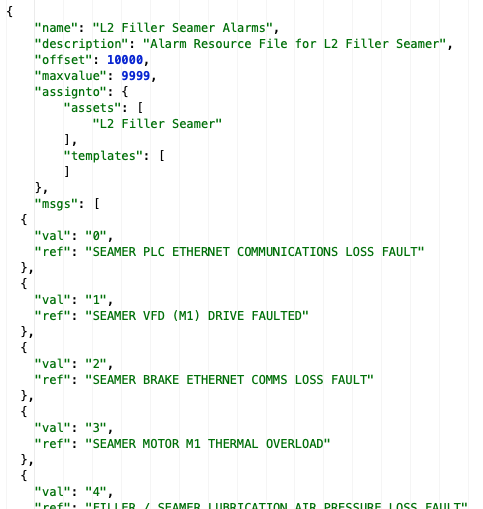
The resulting json file should look something like this:
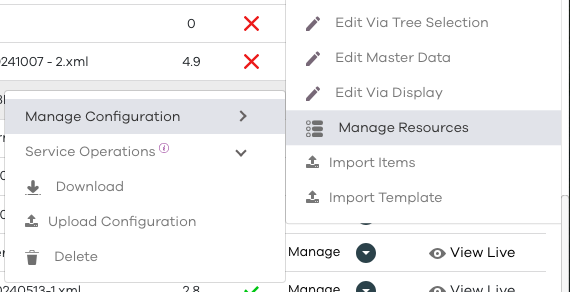
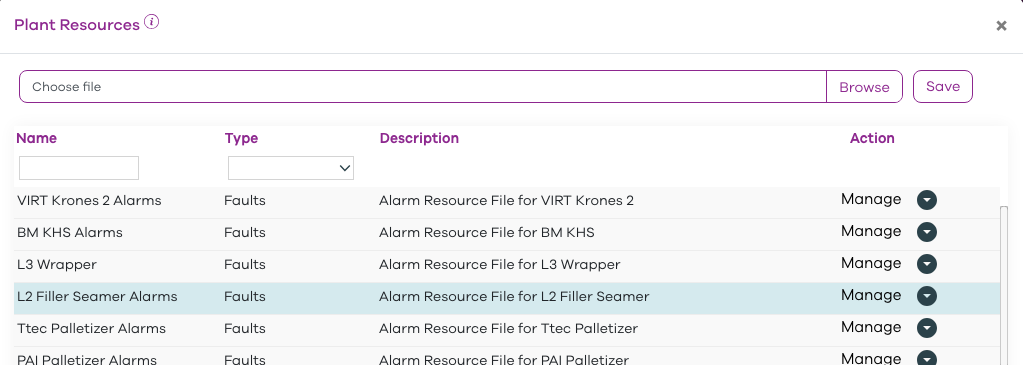
Upload this file to the Configuration app's -> -> utility.
Note
Asset assignments, and the name/description of the fault resource file can be edited in Configuration. Changes to any other header properties, or any actual fault entries, will need to be made in the original text file, and re-uploaded using this step.
Important
It's important to allow at least 100 hours of representative machine activity in order to collect enough data for Fault Learning to be most effective.