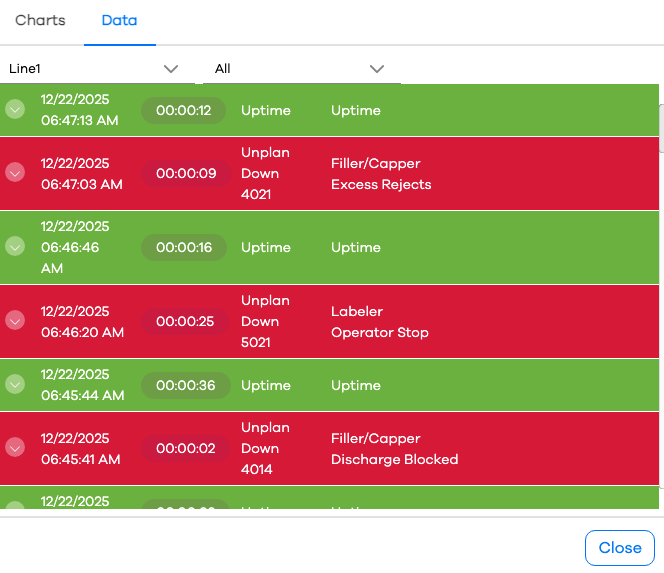
Asset Detail Data
Denoted by the word "Data", the user is presented with a reverse-chronologic timeline of events for the current asset within the currently-selected timeframe filter. The color of the event corresponds to a particular state. Other overview information is also presented in textual form.
The components of each event can be found in the Event Details view.