OPC Server
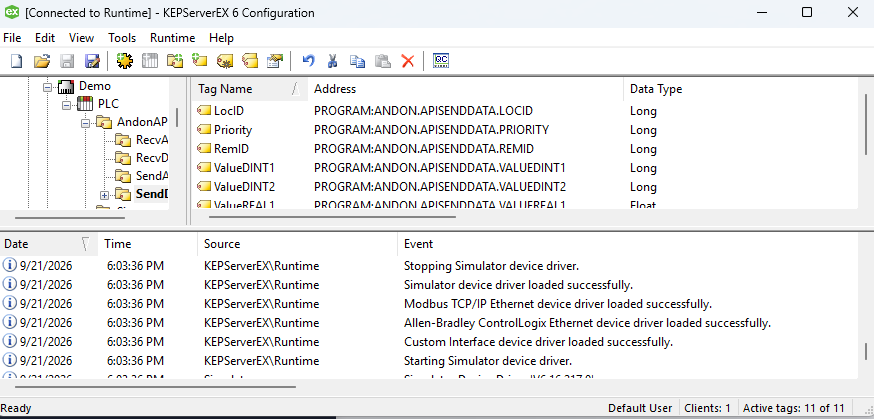
An OPC server is the go-between that lets ABLE talk to your plant equipment — PLCs, sensors, and the like. It takes each device's own "language" and turns it into something ABLE can understand, so you don't need a special connector for every brand of hardware. This is standard practice across the industry, not something unique to ABLE.
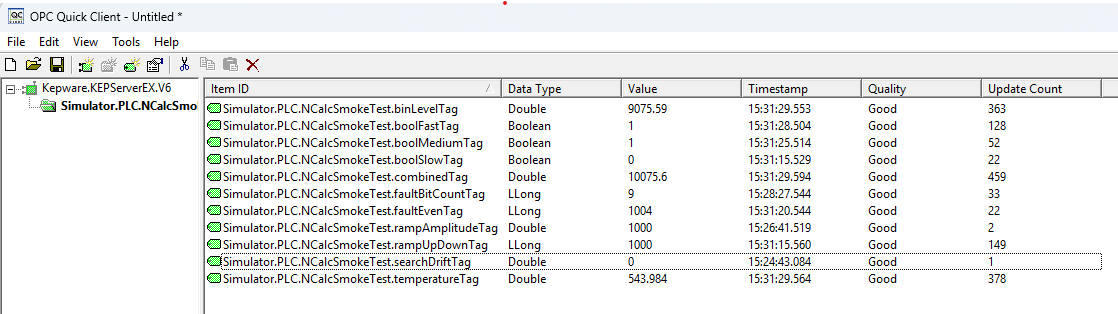
We use Kepware for this on almost every ABLE install. Kepware sits alongside ABLE, plugs into your devices, pulls their data into organized "tags," and hands those tags to ABLE so it can show values, trigger alarms, and build reports. If a site already has a different OPC server, ABLE can use that instead.
Note that explicit Kepware-created tags for every address are not necessary. Kepware allows what it calls "dynamic addressing." So simply declaring a channel (a driver for your particular PLC) and a device (the PLC's IP address and model number) is enough. ABLE can get to a tag within the PLC by using that PLC's own native nomenclature. For example, "N7:5.0" for SLC/PLC5 or aliased addresses like "FILLER.State" for a ControlLogix/CompactLogix processor, or even address like 412489 for a modbus-based processor.
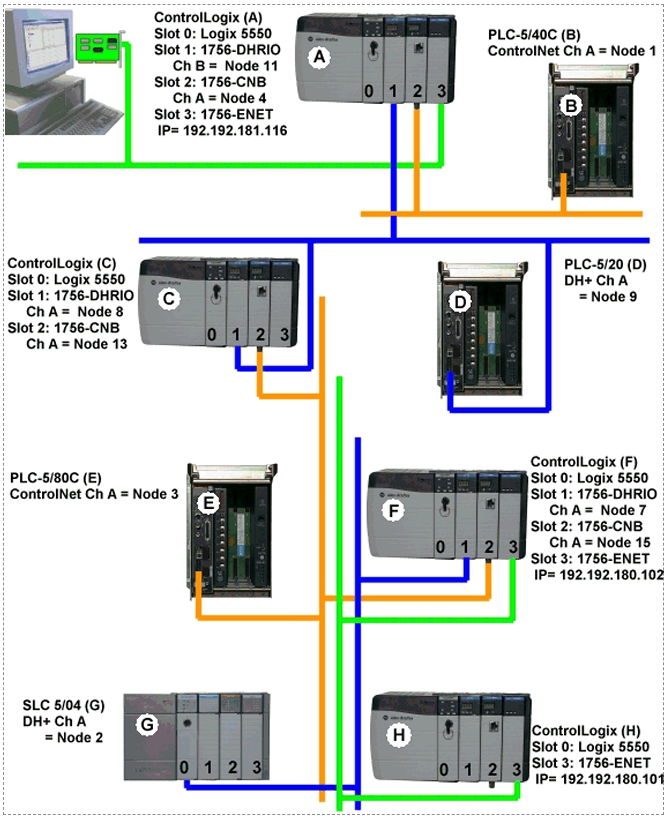
Allen Bradley ControlLogix Ethernet Routing Examples
Note
This is by far the most confusing concept in KepServer when talking to networked Allen Bradley PLC's over Ethernet or DH+. Summarizing here for the record.
The Ethernet Routing Examples section in Kepware's Allen-Bradley ControlLogix driver help shows sample "paths" for reaching a PLC that isn't directly on the same Ethernet network as the OPC server — for instance, a processor sitting behind another chassis, reached over the backplane, through a ControlNet or DH+ module, or by hopping from one ControlLogix rack to another. Each example gives the routing syntax you'd type into the Device ID field so Kepware knows how to hop from the first Ethernet connection all the way to the target processor.
Destination Node | Model | Routing | Device ID | ||||||||||||
|---|---|---|---|---|---|---|---|---|---|---|---|---|---|---|---|
Logix5500(A) | ControlLogix5550 | No | x.x.x.x,1,0 | ||||||||||||
PLC-5/40C(B) | CN Gateway | No | x.x.x.x,1,2.A.1 | ||||||||||||
Logix5550(C) | ControlLogix5550 | Yes | x.x.x.x,1,[1,2,8,1],0 | ||||||||||||
Routing Path Breakdown (C) |
| ||||||||||||||
PLC-5/20 (D) | DH+Gateway | No | x.x.x.x,1,1.B.9 | ||||||||||||
PLC-5/80C(E) | CNGateway | Yes | x.x.x.x,1,[1,2,8,1],2.A.3 | ||||||||||||
Routing Path Breakdown (E) |
| ||||||||||||||
Logix5550(F) | ControlLogix5550 | Yes | x.x.x.x,1,[1,2,8,1,2,2,15,1],0 | ||||||||||||
Routing Path Breakdown (F) |
| ||||||||||||||
SLC5/04(G) | DH+Gateway | Yes | x.x.x.x,1,[1,2,8,1,2,2,15,1],1.A.2 | ||||||||||||
Routing Path Breakdown (G) |
| ||||||||||||||
Logix5550 (H) | ControlLogix 5550 | Yes | x.x.x.x,1,[1,2,8,1,2,2,15,1,3,2,192.192.180.101,1],0 | ||||||||||||
Routing Path Breakdown (H) |
| ||||||||||||||