



Turn plant data into
reports automatically
XLReporter automates your industrial reporting by turning data into clear, trusted reports — faster, more consistently, and with less effort.
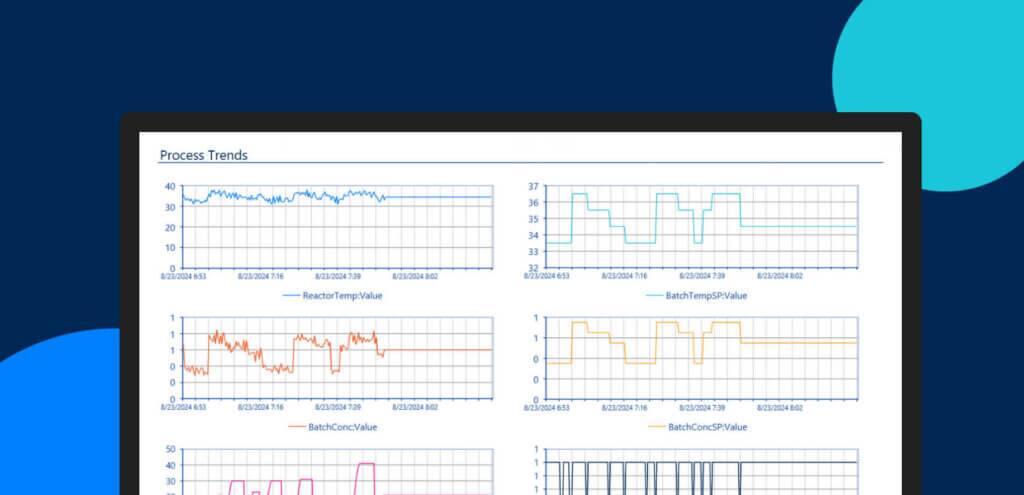

Plant reporting should be efficient
Plant data is often scattered across SCADA, historians, PLCs, databases, and other plant systems. XLReporter automatically collects your plant data and turns it into polished reports by schedule, shift, batch, event, or on demand.
Reports that run themselves
Automate daily, weekly, monthly, shift, batch, event, and on-demand reports so you and your team spend less time rebuilding the same reports over and over again.
The format your team already knows
Use familiar Excel-style layouts while XLReporter handles the data connections, calculations, formatting, and delivery behind the scenes.
Reduce errors and report-chasing
Pull data directly from connected plant systems and automatically deliver reports by email, Teams, PDF, print, web portal, cloud upload, or mobile
Find the right licensing options
Explore subscription and perpetual licensing options to find what fits your reporting needs, budget, and long-term plant operations strategy.


Reporting tools built for real plant workflows
XLReporter connects to plant systems, automates report generation, supports compliance and operations reporting, and delivers finished reports where your team works.
Connect the systems your reports depend on
Your data stays where it is. Connect SCADA, historians, PLCs, databases, and other plant systems and build reports directly from the source — without manually combining spreadsheets or replacing existing infrastructure.
Generate reports when your plant needs them
Run reports automatically by schedule, shift, batch, machine cycle, process event, alarm event, or user request.
One platform. Every report your plant needs.
Create finished reports for compliance, OEE, alarm management, process, batch, shift, and plant performance — giving your team the consistent data they need to spot trends and keep improving.
Great alarm management starts with measurement
A well-maintained alarm system reduces operator burden, sharpens response times, and keeps your plant safer — but you can’t improve what you don’t measure. XLReporter delivers ISA 18.2 alarm performance metrics including flood, chatter, stale, and standing alarms, giving your team the visibility to drive continuous improvement.
90+ industrial data connectors
Connect directly to all major historians, SCADA platforms, OPC DA/UA servers, and SQL databases — multiple sources in a single report, no middleware required.
Reporting that works the way you do
Run fully automated reports on any schedule or trigger — including distribution to email, web portal, or Microsoft Teams — or generate on demand from the desktop application, web browser, mobile app, or directly from within your HMI display.
Fill any Excel template, unchanged
Import your existing government-issued or in-house Excel forms and populate them automatically from live process data — layout, formatting, and structure preserved exactly as required.
Alarm management analytics
Identify bad actors, chattering alarms, and flood events with out-of-the-box KPI reports — metrics based on the ISA 18.2 standard, so your team has an industry-recognized framework for improvement.
Built for regulated industries
Support audit trails, electronic signatures, and version-controlled templates to meet compliance requirements in water/wastewater, life sciences, and food & beverage.
Enterprise-wide without new infrastructure
Roll up data from multiple sites, historians, and vendors into consolidated reports — without a central database, ETL pipeline, or cloud dependency.
Watch how XLReporter builds reports automatically
See how XLReporter connects to plant systems, builds reports, runs them automatically, and shares them with the right people.

LCWSA replaced paper logs with real-time, data-driven operations.
“By upgrading and integrating technology like SmartSights WIN-911 and XLReporter, we are able to make more informed, data-driven decisions. Bridging the gap between people, processes, and tools allows us to empower our team and strive for a more proactive and efficient operation.”

Related resources
Explore resources on industrial reporting, operational visibility, and plant performance.


Frequently asked questions
Our team is available to walk through any question you have.
What is SmartSights XLReporter?
SmartSights XLReporter is automated industrial reporting software that transforms data from SCADA, historians, PLCs, databases, and other plant systems into trusted operational reports.
How is this different from manual Excel reporting?
Manual reporting requires teams to collect data, rebuild spreadsheets, format reports, and distribute them manually. XLReporter keeps familiar Excel-style report formats while automating data collection, report generation, and delivery.
Can reports use data from multiple plant systems?
Yes. XLReporter connects to SCADA, historians, PLCs, databases, and other plant systems so teams can create reports using data from multiple operational sources.
What kinds of reports can teams automate?
Teams use XLReporter to automate compliance reports, OEE reporting, alarm management, batch reports, shift reports, process reports, operational summaries, and recurring performance reporting.
Can reports run by schedule, shift, batch, or event?
Yes. XLReporter reports can run by schedule, request, shift end, batch completion, machine cycle, process event, or alarm event.
Does Excel have to be installed on plant-floor machines or servers?
No. XLReporter can generate formatted Excel-style reports without Microsoft Excel on plant-floor machines.
Our team is available to walk through any question you have.
Ready to see your
operation more clearly?
Join 30,000+ industrial facilities in 100+ countries that have trusted SmartSights to keep their operations visible, responsive, and on track since 1993.